

Notion has become the default tool for the self-employed, and for good reasons: it replaces four or five subscriptions with a single workspace, free for individual use. But it's also a tool that offers nothing by default. Opening a blank page and telling yourself “I'll put my business in here” almost always leads to the same result: a pile of unconnected pages, abandoned after three weeks.
What sets a Notion workspace that lasts apart from one that dies isn't the design or the number of features. It's the fact that the databases are linked to each other, and that a single place aggregates the information. Here is the minimal structure that works, database by database.
The principle: five linked databases, one dashboard
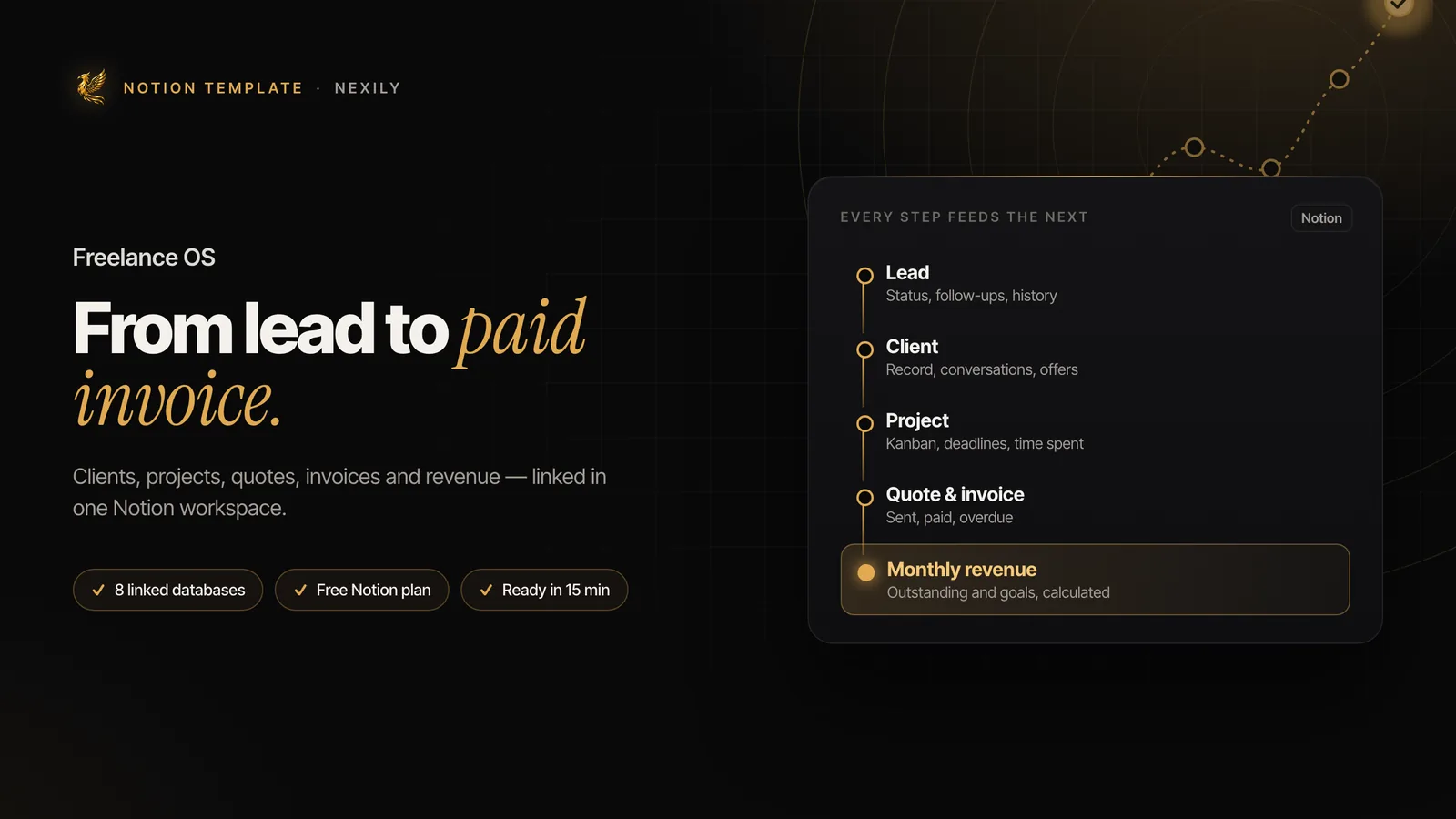
The difference between a useful Notion workspace and a graveyard of pages comes down to one idea: relations. A Notion database can point to another. A project belongs to a client, an invoice belongs to a project, an offer generated this project. Once these links are set, information flows: opening a client record automatically shows their ongoing projects, unpaid invoices and cumulative revenue — without you having to re-enter anything.
Without relations, each database becomes an isolated list you have to update by hand several times. That's exactly what causes abandonment: the maintenance cost exceeds the benefit.
Five databases are enough to cover a freelance business: Clients, Projects, Offers, Finances and Processes. Everything else is a nice-to-have.
1. The Clients database
It's the foundation. One row per client, with a minimum of properties:
- Status — Prospect · In discussion · Active · Finished · Dormant. It's the most useful property in the whole database: it turns a list of contacts into a sales pipeline.
- Contact — name, email, phone, company.
- Source — where this client came from: referral, LinkedIn, website, content. After a year, this column tells you where to invest your prospecting time.
- Relation → Projects and relation → Finances.
- Last-contact date — to spot dormant clients to follow up.
The body of each client record serves as a log: call notes, context, preferences, exchange history. It's what lets you resume a conversation six months later without looking like you're discovering the file.
A “Kanban by status” view immediately shows the state of your pipeline. A “To follow up” view filtered on clients with no contact for more than sixty days is worth building the database on its own.
2. The Projects database
A project is an engagement, with a start, an end and an amount. Useful properties:
- Relation → Client (mandatory)
- Status — Quote sent · Accepted · In progress · Delivered · Paid
- Dates for start and deadline
- Amount and estimated time
- Time actually spent — the property everyone neglects and that matters most
That last property deserves a word. Comparing estimated time with actual time, project after project, is the only way to know whether your rates hold up. Many freelancers discover after a year that their most profitable engagement on paper was actually the least profitable per hour. Without measurement, that information doesn't exist.
Add a formula property that calculates the effective hourly rate (amount ÷ actual time). It's the most instructive figure in the whole system.
3. The Offers database
It's the database almost no one builds, and that's a mistake. An offer is a packaged service: a name, a scope, a price, a typical duration, what's included and what isn't.
Its value is twofold. First commercial: formalising three or four clear offers avoids starting from scratch with each request and under-charging by improvisation. Then analytical: by linking projects to offers, you see which ones actually sell, which are profitable, and which you do out of habit without them paying off.
Three well-defined offers are worth more than a catalogue of twelve bespoke services — and make your positioning legible to your prospects.
4. The Finances database
One row per movement: quote, invoice, payment, expense. Essential properties:
- Type — Quote · Invoice · Payment · Expense
- Status — Sent · Paid · Overdue
- Amount, issue date, due date, payment date
- Relations → Client and Project
Distinguishing the due date from the payment date is essential: it's what enables an “Unpaid” view filtered on invoices whose due date has passed without payment. For a freelancer, this view is worth real money.
5. The Processes database
The database that makes the difference between a business that rests entirely on you and one that runs. In it you document what you redo every time: onboarding a new client, preparing a quote, delivery, chasing an unpaid invoice, closing an engagement.
Each process is a page with a checklist. The gain is immediate on three fronts: you no longer think about the steps, you no longer forget any, and the day you delegate, the handover work is already done.
Create these pages as Notion database templates: one click creates a new engagement with its checklist pre-filled.
The dashboard: what it should show
A home page that aggregates filtered views of the five databases. Four blocks are enough:
- This week — projects whose deadline falls within seven days
- Money — this month's revenue, pending invoices, overdue payments
- Pipeline — prospects in discussion and quotes sent without a reply
- To follow up — clients with no contact for more than sixty days
The rule is to stop there. A dashboard that needs scrolling is no longer a dashboard. If it doesn't fit on one screen, it won't be looked at.
The mistakes that make people abandon a Notion workspace
Creating too many databases. Twelve databases to cover every aspect of the business means twelve places to maintain. Five well-linked databases are better.
Multiplying properties. Every column is one more entry each time you create a row. If you don't use it in a view or a filter, it's useless.
Neglecting relations. This is the fatal mistake. Without relations, you re-enter the same information in three databases, and you stop after a month.
Spending a day on the design. Icons and colours change nothing about the system's usefulness. Build the structure first, fill it for three weeks, then beautify what has survived.
Trying to migrate everything at once. Start with clients and ongoing projects. History can wait, or never come.
What Notion should not do
For honesty's sake, three limits are worth stating. Notion is not invoicing software: it guarantees neither document compliance, nor continuous numbering, nor regulatory archiving. It is not an accounting tool: your tax return is done elsewhere, based on your actual payments. And it is not a vault: if you store data about your clients in it, you are responsible for it under the GDPR, and the hosting terms are those of Notion Labs, not yours.
Within these limits, it does very well what it's used for here: giving a single, up-to-date view of a business, without multiplying subscriptions.
Building this structure takes a good half-day if you start from scratch, counting the relations and views. If you'd rather start from a system already built, Freelance OS takes exactly this architecture — eight linked databases, dashboard and pre-filled processes — to duplicate in one click. The logic stays the same: it's the relations that make the system, not the number of pages.
The operating system for a profitable freelance business: clients, projects, quotes and invoices, time spent and a financial dashboard in a single Notion workspace.
Discover Freelance OS