

Why do I keep rereading the same line?
Most often because the return to the next line fails: lines that are too long, line spacing that's too tight, or no visual guide. It's a layout problem, not a concentration problem.
You reread the same line three times. You accidentally skip to the next one. Twenty minutes in, you have a headache and remember nothing. The instinct is to blame your concentration; in most cases, the cause is typographic.
Four settings determine how comfortable a page is to read, and none of them depends on willpower. Here's what they are, how to fix them, and what genuinely helps readers with dyslexia.
The four real causes
When your eye reaches the end of a line, it has to jump back to the start of the next. That movement is called a return sweep, and it's where everything happens: if it lands on the wrong line, you reread or skip.
Four factors decide whether that movement succeeds:
- The space between lines, which helps the eye find its target
- The length of the line, which sets the distance to travel
- The contrast, which determines how hard the eye works to focus
- Whether there's a visual guide for the return
None of these is about concentration. All of them can be adjusted.
Line spacing, the most underrated setting
Tightly set text forces the eye to aim precisely at the next line among lines packed closely together. Generous line spacing — around 1.5 times the text size for long-form content — makes the target far easier to hit.
Most news sites use decent line spacing. Intranets, technical documentation and PDFs get it wrong far more often — precisely where people read the longest.
Line length
The classic typographic rule puts comfortable reading at around 60 to 75 characters per line, including spaces. Shorter, and the eye jumps too often; longer, and it loses the line on the way back.
It's the most common flaw on wide screens: text spreads across the full width available, sometimes reaching 150 characters per line. Reading becomes exhausting without you knowing why.
Contrast, and why pure black is tiring
Maximum contrast — pure black on pure white — isn't the most comfortable. It creates a noticeable halo around the letters and makes the pupil work constantly, especially on very bright screens.
More comfortable settings are closer to very dark grey on slightly off-white, or light grey on a charcoal background rather than pure black. That's what most e-readers do.
A dark background, on the other hand, solves a different problem: glare in a dimly lit room. We cover that in our article on dark mode.
A reading guide
It's an old and simple technique: running a finger or a ruler under the line you're reading. It works because it removes all uncertainty from the return to the next line.
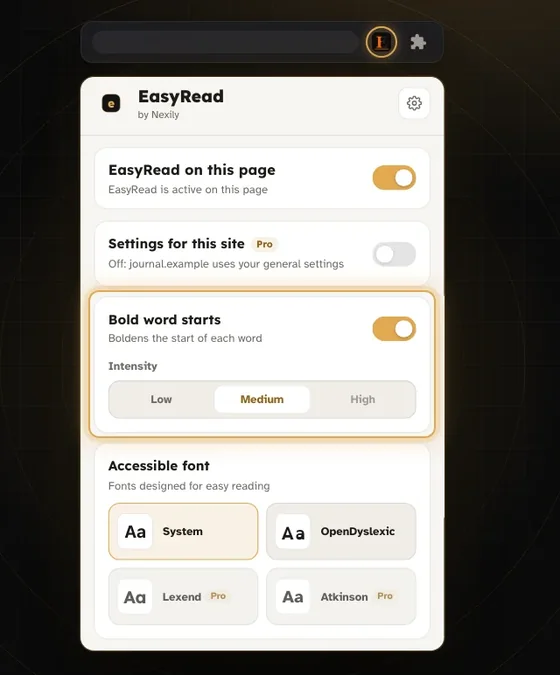
There's a digital version: a light band that follows your cursor or reading position, with the rest of the page slightly dimmed. It's one of the features of Nexily EasyRead, along with, in Pro, a mask that darkens the rest of the page.
For long technical documents, it's often the setting that makes the biggest difference — far more than your choice of font.
 Nexily EasyRead
Easier reading: bold word starts, OpenDyslexic, ruler.
Discover EasyReadFree: Bold word starts (light and medium intensity), no time limit
Dyslexia: what display settings can change
An important clarification: no display setting cures dyslexia, which is a neurological condition. What these settings do is reduce the visual load, which can make the difference between a page abandoned and a page read.
What's most often reported as helpful:
- Increasing spacing between letters, words and lines. It is the most studied option.
- Shortening lines, to limit return-sweep errors.
- Reducing contrast and avoiding stark white.
- A dedicated font such as OpenDyslexic: feedback is mixed — some people benefit a lot, others not at all. It's something to try, not to impose.
The right approach is to offer several settings and let the person choose, rather than declaring that one font solves the problem.
Bold word starts, honestly
The Bionic Reading® method (bold word starts) puts the first letters of each word in bold, the idea being that the eye fills in the rest and moves faster. It spread widely, but independent studies haven't confirmed a general gain in reading speed.
That doesn't make it useless. Some people find it genuinely comfortable, especially for skimming a text for its key points. It's one tool among others — worth trying, without expecting to read twice as fast.
If you only adjust one setting, make it line spacing. It delivers the biggest improvement for the least effort.