

Does dark mode really reduce eye strain?
In a dimly lit room, yes: it avoids the glare of a bright background. In daylight, dark text on a light background is generally easier to read. The benefit depends mainly on the ambient lighting.
You've switched on dark mode everywhere you could, and yet every other website still blinds you at night. That's normal: dark mode isn't a single setting, it's a negotiation between three levels that only half talk to each other.
This article explains which level does what, how to cover the sites that don't offer dark mode, and when a dark background is actually a bad idea.
The three levels of dark mode
| Level | What it changes | Limit |
|---|---|---|
| The operating system | Menus, windows, apps | Doesn't affect the content of web pages |
| The browser | The browser interface, and signals your preference to websites | The website has to provide a dark version |
| An extension | Rewrites the colours of the page itself | Imperfect rendering on some sites |
The second level is the one most people don't know about. Your browser passes on a preference — technically, a media query called prefers-color-scheme — and sites that support it switch automatically. The others do nothing, and that's where the third level comes in.
The system setting, the one that matters most
Always start here: it's the setting your browser relays to websites.
- Windows: Settings → Personalisation → Colours → Dark.
- macOS: System Settings → Appearance → Dark.
- Android and iOS: display settings, with an optional automatic switch based on the time of day.
Switching automatically at sunset is underused and is the best compromise: light during the day, when it's easier to read, dark in the evening.
Forcing dark mode on a site that doesn't have it
Many websites will never get a dark version: government sites, intranets, small older sites. There are two approaches.
Chrome's experimental setting. A hidden flag can force automatic darkening of web content. It works, but the result is often crude: inverted images, broken contrast, unreadable text on some backgrounds. It's a hidden setting that sometimes moves between versions.
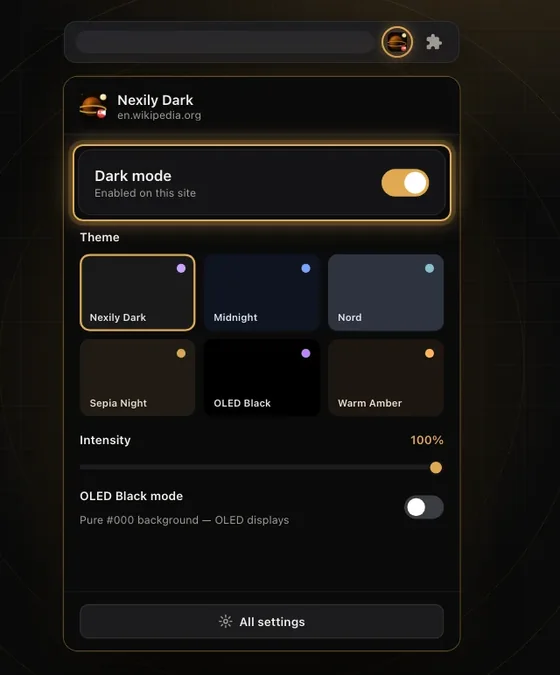
A dedicated extension. It rewrites colours more carefully, preserves images and remembers a setting for each site — essential, because no algorithm gets 100% of pages right. That's what Nexily Dark does, free and without limits.
 Nexily Dark
Smart dark mode tailored to every site.
Discover DarkFree: Everything included
The OLED screen question
On an OLED screen, each pixel produces its own light. A black pixel is a pixel that's switched off: it uses no power and emits no light. On a standard LCD screen, the backlight stays on whatever the image, and the energy saving is close to zero.
In practice: on a recent phone, dark mode has a measurable effect on battery life and is genuinely more comfortable in the dark. On a laptop with an LCD screen, it's a matter of visual preference, not energy.
Eye strain: what we know and what we assume
The idea that dark mode rests your eyes is widely accepted and partly wrong. What's established comes down to three points:
- In a dark room, a light background is dazzling and forces your pupils to keep adjusting. Dark mode is then clearly more comfortable.
- In bright light, dark text on a light background is generally easier and faster to read.
- For long reading sessions, contrast, line spacing and column width matter more than the background colour.
In other words, dark mode solves an ambient lighting problem, not a reading problem. If you're rereading the same line three times, the cause lies elsewhere — that's the subject of our article on reading on screen for long periods.
When dark mode works against you
- Working with images and colour. Photo editing, design, print: a dark interface distorts how you perceive colours.
- Astigmatism. Light text on a dark background can create a halo effect that makes reading harder.
- Documents meant for printing. What you see on screen no longer matches the result on paper.
- Dense tables. Inverted contrast is more tiring on tight grids of numbers.
Which is why, once again, a per-site setting beats a single global choice.